SketchUp Bedroom Models: Build Render-Ready Bedrooms Faster
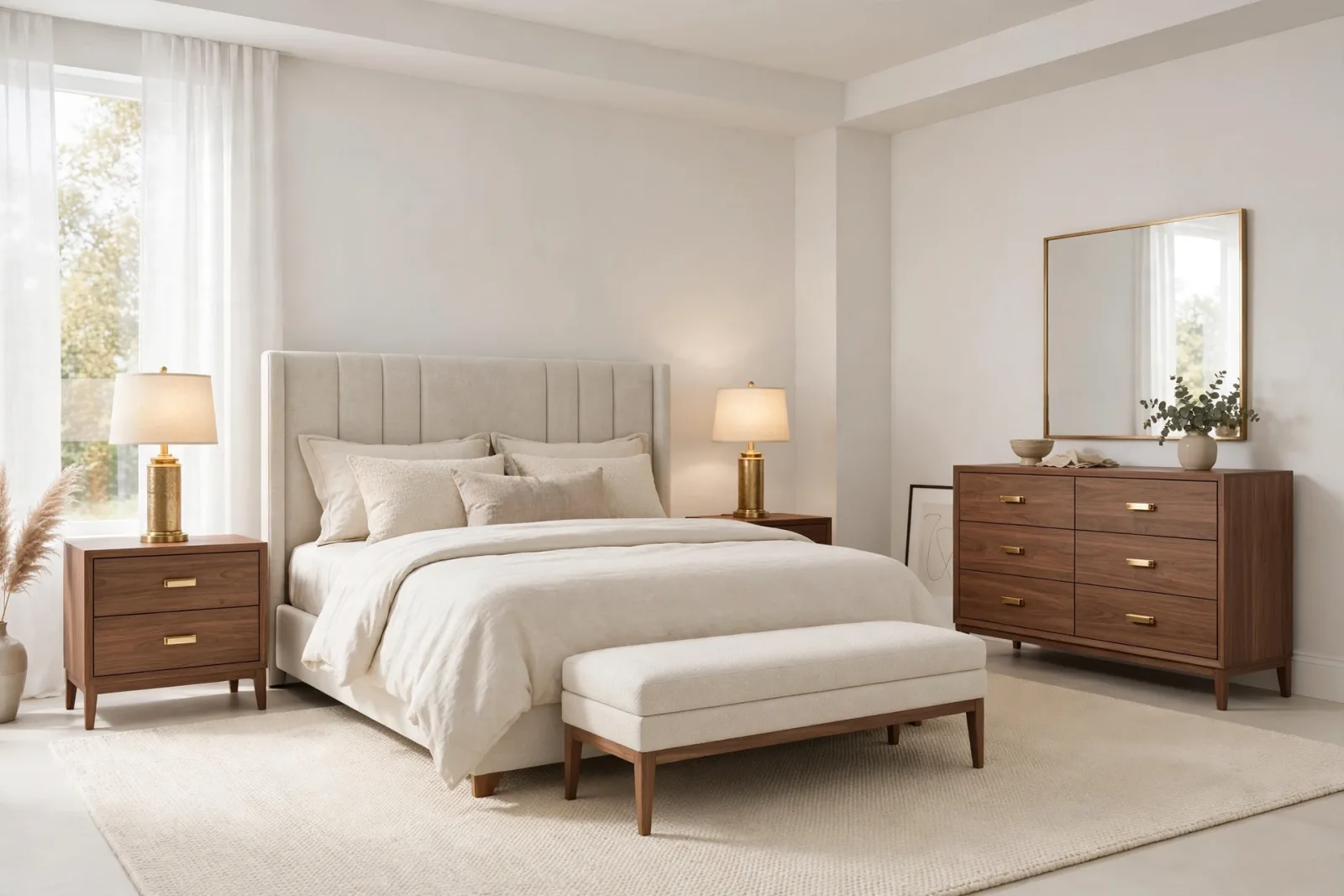
Bedrooms are the most personal rooms in any interior project, and they are also the rooms where cheap or careless 3D models get exposed the fastest. A bedroom render lives and dies on the details: the stitching on a headboard, the softness of a pillow, the way a wardrobe catches warm lamplight. If you design interiors in SketchUp, your choice of SketchUp bedroom models decides whether a client presentation feels like a hotel brochure or a half finished sketch.
This guide covers the bedroom pieces that matter most, what separates a render ready model from a file that will slow your machine to a crawl, and how to build a bedroom model library that pays for itself project after project.
Why Bedrooms Deserve Their Own Model Strategy
Most designers grab furniture models the same way for every room, but bedrooms have their own geometry problems. Bedding is the obvious one: pillows, duvets, and throws are organic shapes, and bad ones look like inflated plastic bags in a render. Then there is scale: beds are the largest furniture items in a home, and a heavy queen or king bed model can double the weight of your SketchUp file all by itself.
The smart move is to treat your bedroom models as a dedicated kit: a small set of high quality pieces you know by heart. When a new bedroom project lands, you assemble the scene in minutes instead of hunting through the 3D Warehouse for hours, and your renders look more consistent because the same quality bar runs through every room.
The Core Pieces of a Bedroom Model Library
A complete bedroom scene needs seven kinds of pieces. You do not have to buy them all at once, but knowing the full list keeps you from discovering gaps mid project. Start with the bed, then build outward.
1. The Bed
The bed is the hero of every bedroom, so it deserves the biggest share of your attention. For modern interiors, a clean upholstered or wooden frame with a tall headboard works in almost any client project. The Modern Queen Bed model shows the right spec: realistic proportions, a detailed headboard, and bedding that is modeled rather than faked with flat textures.
When you evaluate any bed model, zoom into the headboard first. If the edges are sharp single polygons, it will look flat in V-Ray or Enscape. Good models round those edges and keep bedding as separate components, so you can hide the duvet or swap materials without rebuilding anything.
2. Nightstands
Nightstands are small, but in a render they sit right next to the hero piece, so low quality ones are painfully visible. Buy them as a matched pair with identical dimensions. A nightstand pair with proper drawer details and realistic hardware reads as intentional design, while two mismatched singles from different sources make the whole room look assembled from leftovers.
Keep nightstand geometry light and let materials do the work. A simple box with good wood grain texture and metal handles will outperform a hyper detailed nightstand that triples your polygon count.
3. Wardrobes, Dressers and Storage
Storage furniture fills the visual background of bedroom renders, so it needs to be clean and believable. A three-door wardrobe with paneled doors covers most master bedroom briefs, and a dresser with a mirror doubles as a styling surface for decor.
Check two things on any storage model: door and drawer gaps, and back panels. Visible gaps between doors look engineered rather than pasted together, and a wardrobe with no back panel will ruin the first camera angle that catches its edge.
4. Seating, Lighting and Finishing Touches
An upholstered bench at the foot of the bed is the fastest way to make a bedroom look designed rather than furnished. Table lamps and a floor lamp give you the warm secondary light sources that make evening renders glow. Then layer in curtains, a rug, wall art, and mirrors. These small pieces carry the style of the room, so pick them to match the bed rather than the other way around.
Give lamp models special care: a lamp is only as good as its shade geometry and material, because renderers simulate light passing through translucent shades. Overly detailed lamp models are one of the most common causes of slow bedroom renders.
What Makes a Bedroom Model Render Ready
Not every model that looks fine in the SketchUp viewport survives a render. Before a bedroom model earns a permanent place in your library, run it through this checklist.
- Clean, scaled geometry. The model should import at real world scale with no stray edges or reversed faces. Reversed faces cause black patches in renders, and they are tedious to fix on a 40,000 polygon duvet.
- Separated components. Bedding, pillows, hardware, and frames should be separate components or groups, so you can hide parts, swap materials, and reuse pieces across projects.
- Sane polygon counts. A bed at 30,000 to 80,000 polygons is reasonable. A single pillow at 50,000 is a problem. Purge unused materials and components before saving a model into your library.
- Real materials, not baked colors. Look for models with named materials you can replace, like Fabric_Grey or Wood_Oak, rather than flat colors painted directly on faces. Named materials make it trivial to recolor a whole bedroom for a new client.
- Correct orientation and origin. Every model should sit on the ground plane with its front facing the same direction. Models that import floating or rotated waste your time on every placement.
Models built specifically for sale, rather than uploaded casually to free libraries, tend to pass this checklist far more often. You are paying for the cleanup work you would otherwise do yourself at your hourly rate.
Buying as a Bundle vs Piece by Piece
If you furnish bedrooms regularly, compare the math. A quality bed, nightstand pair, wardrobe, dresser, bench, lamps, curtains, and decor bought individually can easily cost more than a complete room bundle, and you still have to check that the styles match. A complete bedroom set bundle gives you a coordinated room in one download: every piece shares the same design language, material naming, and polygon budget.
The bundle route also solves the style matching problem that eats hours in free libraries. When every piece comes from the same collection, you never discover mid render that your nightstands are Scandinavian minimal while your bed is rustic farmhouse.
Piece by piece still makes sense when you need one specific hero item, like a statement bed for a luxury master suite, or when you already own most of a room kit and just need to fill one gap. Browse the full furniture collection for individual pieces, and keep a running wishlist so you buy with intent instead of impulse.
A Practical Workflow for Bedroom Scenes in SketchUp
Here is the assembly order experienced interior visualizers use for bedrooms. It avoids the classic mistake of placing decor before the big furniture is locked in.
- Step 1: Shell first. Model or import the room shell with final dimensions. Place the bed position with a simple proxy box before importing the real bed model.
- Step 2: Anchor furniture. Drop in the bed, then the nightstands, then the wardrobe and dresser. Lock each large piece once positioned so you do not nudge it later by accident.
- Step 3: Lighting. Add table lamps, floor lamps, and ceiling fixtures, and place your actual light sources now so you can test the mood before styling.
- Step 4: Soft layers. Curtains, rugs, throws, and pillows go in next. These are the pieces clients react to emotionally, so spend styling time here.
- Step 5: Decor and art. Wall art, mirrors, books, and small objects last. Keep them light on polygons; they are seen but never inspected closely.
- Step 6: Purge and test render. Purge unused components and materials, then run a low resolution test render. Fix reversed faces and material issues now, not after the final render is queued overnight. Save the finished room as a SketchUp component in your library, so the next bedroom project starts at step 2 instead of step 1.
Frequently Asked Questions
Where can I find good SketchUp bedroom models?
Start with curated model libraries rather than raw free warehouses. Curated collections are cleaned, correctly scaled, and built with render ready materials, which saves hours of fixing reversed faces and oversized geometry. Free sources work for quick massing studies, but for client presentations the quality gap shows.
How do I keep bedroom models from slowing down SketchUp?
Three habits make the biggest difference. First, use low poly stand ins while you arrange the room, and swap in the detailed models only for the final render. Second, purge unused components and materials regularly via Model Info, Statistics, Purge Unused. Third, keep bedding and pillows as separate components so you can hide them while you work on the rest of the room.
What size bed model should I use for a master bedroom render?
Match the bed to the room and the market. A queen bed, around 60 by 80 inches, suits most standard master bedrooms and photographs well without overwhelming the space. Use a king, around 76 by 80 inches, only when the room is genuinely large, because an oversized bed makes the whole room feel smaller in renders. Always check that the model uses real world dimensions before you commit to it.
Building a bedroom that renders beautifully is not about owning hundreds of models. It is about owning the right twenty: a few great beds, matched nightstands, clean storage, warm lighting, and soft layers you trust. Assemble that kit once and every bedroom project after that starts halfway finished.
Written by
Admin User
Related Articles
Keep learning with these posts